Table of Contents
- Defining Web Accessibility
- ▶ Why Accessibility Matters
- Core Accessibility Principles
- ▶ Key Accessibility Standards and GuidelinesKey Accessibility Standards and Guidelines
- ▶ Fundamental Techniques for Accessible Web Development
- ▶ Incorporating Accessibility Across the Development Lifecycle
- ▶ Assistive Technologies and Their Interaction with Websites
- ▶ Advanced Accessibility Considerations
- Security, Privacy, and Accessibility
- Team Culture and Continuous Improvement
- Common Accessibility Pitfalls and How to Avoid Them
- Future of Accessibility and Inclusive Design
- Accessibility as a Transformative Philosophy
- Key Takeaways
Embracing Accessibility in Modern Web Development: A Comprehensive Guide for Inclusive Design
Published on: March 29, 2025
Modern web development is a rapidly evolving field with new tools, frameworks, and best practices emerging daily. Amid these technological advancements, one of the most enduring and crucial considerations is accessibility—the commitment to ensuring that websites and applications can be used by as many people as possible, including those with disabilities or other limitations. Although accessibility has often been treated as an afterthought, there is growing recognition that it is not merely a feature but an essential component of any robust, future-proof, and socially responsible digital product.
This comprehensive guide delves into the ethical, business, and practical imperatives of web accessibility. We'll explore the fundamental guidelines and principles, discuss how to integrate accessibility throughout the entire development process, and examine the future of inclusive design. By the end, you will have the insights needed to create digital experiences that are equitable, high-performing, and poised for longevity in an increasingly competitive market.
Defining Web Accessibility
Web accessibility ensures that websites, tools, and technologies are designed and developed so that everyone can use them. “Everyone,” in this context, includes users with a range of disabilities—visual, auditory, motor, cognitive, and more—but also extends to situational limitations like slow internet speeds, older devices, or bright sunlight that might affect screen visibility.
An accessible website typically accounts for:
- Keyboard navigation for individuals who cannot operate a mouse.
- Text alternatives for images and multimedia so users with visual impairments can benefit from screen readers.
- Clear, concise language and layout for individuals with dyslexia or cognitive impairments.
- Color contrast guidelines to help users with color vision deficiencies or those working in challenging lighting conditions.
When done correctly, accessibility intersects with usability (the ease and efficiency with which a product can be used) and user experience (the overall user satisfaction). For a website to be truly accessible, it must be perceivable, operable, understandable, and robust—the four core principles we will discuss later.
Why Accessibility Matters
Ethical Perspective
At its core, accessibility is about inclusivity and equal opportunity. By embracing accessible design, developers and organizations acknowledge the inherent rights of all users to engage with digital platforms without barriers. From an ethical standpoint, prioritizing accessibility reinforces a commitment to social responsibility and fosters a culture that values diversity. Whether you are a private enterprise, public institution, or individual developer, the act of making your platforms accessible underscores respect for human dignity and autonomy.
Business Benefits
Contrary to misconceptions that accessibility only adds complexity, it can actually deliver tangible business benefits:
- Expanded Audience Reach: By making your product usable by people with disabilities, you open up access to an estimated one billion users worldwide with some form of disability. This can translate into higher adoption rates, better engagement, and increased revenue.
- Enhanced SEO: Many accessibility techniques—such as adding alt text to images and using proper heading structure—can also improve search engine rankings. A well-structured, accessible website is more easily “understood” by search engine crawlers.
- Reduced Maintenance Costs: A well-coded, accessible site is often more organized and easier to maintain, reducing development overhead over time.
- Brand Reputation: Companies recognized for their commitment to accessibility often benefit from a positive public image. Demonstrating social responsibility can foster trust and customer loyalty.
Legal and Regulatory Factors
In many countries, accessibility is not just a best practice but a legal requirement. Various laws and regulations—such as the Americans with Disabilities Act (ADA) in the United States and the European Accessibility Act—mandate digital accessibility for certain sectors, especially government websites and organizations that receive public funding. Failure to comply can lead to:
- Costly lawsuits and legal penalties.
- Negative publicity and damage to reputation.
- Exclusion from government or enterprise contracts that require adherence to accessibility standards.
By proactively incorporating accessibility features, organizations can mitigate legal risks and demonstrate compliance with relevant regulations.
Core Accessibility Principles
The World Wide Web Consortium (W3C) has encapsulated the essence of accessibility into four high-level principles, often remembered by the acronym POUR:
- Perceivable: Content and user interface components must be presented in ways that all users can perceive. For instance, images should have alt text to accommodate screen readers, and text should have sufficient color contrast to be discernible.
- Operable: All interactive elements—like buttons, forms, or menus—must be operable through a variety of inputs (e.g., mouse, keyboard, or voice commands). This principle also addresses requirements like keyboard focus management and preventing designs that induce seizures or physical discomfort.
- Understandable: Both the content and interface operations should be clear and predictable. Forms must have clear labels, error messages should be instructive, and the overall navigation must be consistent and logical.
- Robust: Websites should be built with clean, semantic code that can be reliably parsed by assistive technologies. As technology evolves, your website should remain functional and accessible.
Key Accessibility Standards and Guidelines
WCAG (Web Content Accessibility Guidelines)
The WCAG guidelines, developed by the W3C, are the global benchmark for web accessibility. They come in different versions (e.g., WCAG 2.1, 2.2) and levels of compliance (A, AA, AAA). Most organizations aim for WCAG 2.1 AA as a practical and commonly accepted standard.
Section 508 (U.S.)
In the United States, Section 508 of the Rehabilitation Act requires federal agencies (and those who do business with them) to make their electronic and information technology accessible to people with disabilities. While Section 508 references WCAG in many areas, compliance with one set of standards does not necessarily guarantee compliance with the other.
EN 301 549 (EU)
For the European Union, EN 301 549 outlines specific accessibility requirements for the public sector’s ICT products and services. Similar to Section 508, this standard aligns closely with WCAG recommendations but includes additional stipulations to meet EU-specific directives.
Fundamental Techniques for Accessible Web Development
Semantic HTML
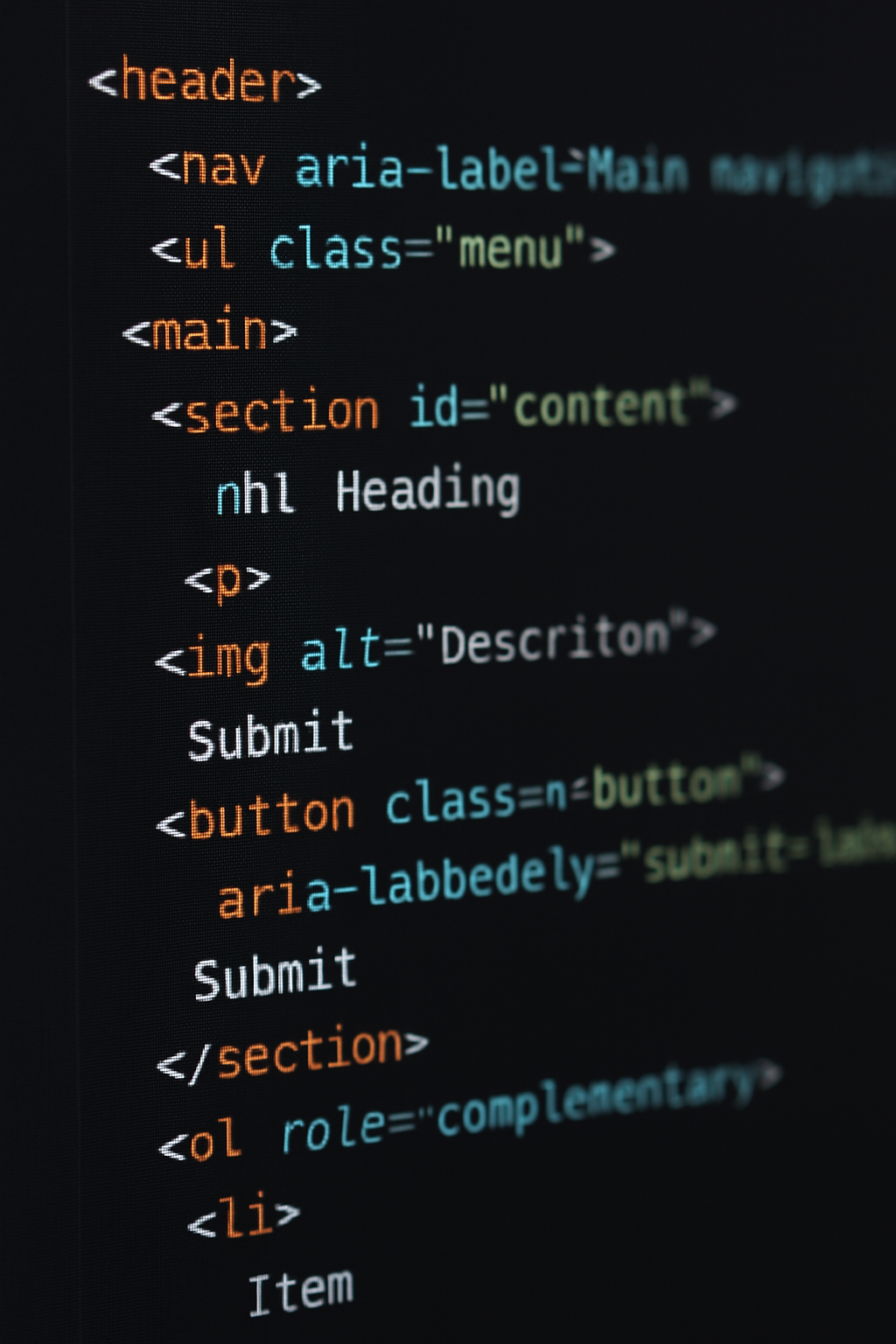
Use native HTML elements: Tags like <header>, <nav>, <main>, <section>, and <article> provide structure to a page, making it easier for screen readers to navigate.
Descriptive tags: Instead of using generic <div> elements, use <button>, <form>, <label>, etc., to convey specific meaning.
By leveraging semantic HTML, you create a logical document structure that assistive technologies can parse more effectively.
ARIA Roles and Attributes
Accessible Rich Internet Applications (ARIA) is a set of attributes that enhance HTML semantics, especially for dynamic web applications. ARIA should be used sparingly and only when native HTML elements can’t convey the necessary semantics.
Example: role="alert" can inform assistive technology that a particular element contains a time-sensitive message.
Caveat: Overuse of ARIA roles can introduce confusion if misapplied. Always prefer native HTML elements first.
Keyboard Navigation and Focus Management
Many users rely on a keyboard rather than a mouse, so ensuring that interactive elements can be navigated via Tab, Shift+Tab, and arrow keys is crucial.
Tab Index: Use tabindex to ensure a logical flow. Avoid artificially rearranging the natural tab order unless absolutely necessary.
Focus Indicator: Always maintain clear focus indicators for interactive elements. Users should be able to see which element is active at any point.
Color Contrast and Text Resizing
Contrast Ratios: WCAG recommends a minimum contrast ratio of 4.5:1 between text and its background (3:1 for large text).
Text Resizing: Websites should allow users to resize text (up to 200%) without breaking the layout or hiding essential content.
A suitable color contrast not only benefits users with color blindness but also improves readability under various viewing conditions, like harsh sunlight or older monitors.
Alternative Text for Media
Images: Provide alt text describing the image’s function or content. If the image is decorative, use an empty alt="" to prevent screen reader redundancy.
Videos: Include closed captions or transcripts. If the video is primarily visual, provide audio descriptions.
These alternatives ensure users who can’t see or hear media can still grasp its meaning.
Form Validation and Labels
Labels: Each input field should have a corresponding <label> or aria-labelledby. Even placeholders are insufficient because they disappear once a user types.
Error Messages: Provide clear instructions for correction, and use ARIA live regions to alert screen readers of new errors.
Proper form design can dramatically reduce user frustration and the risk of input errors.
Incorporating Accessibility Across the Development Lifecycle
Planning and Requirements Gathering
Stakeholder Interviews: Include questions about user accessibility needs. If possible, engage with actual users who rely on assistive technologies.
Requirements Documentation: Insert specific accessibility guidelines (e.g., target WCAG 2.1 AA) into your project documentation to keep the team accountable.
Design Phase: Wireframes, Color Palettes, and UX
Wireframes and Mockups: Evaluate color contrast at an early stage. Tools like Adobe XD or Figma have built-in color contrast checkers.
Typography: Select legible fonts and ensure adequate line spacing. Consider the impact of font styles (italicized text can be harder to read for some users).
Interaction Patterns: Plan for accessible interactions, such as visible focus states and consistent button designs.
Development Phase: Code Quality and Reusable Patterns
Component Libraries: Build or use a design system with accessibility baked in. By reusing accessible components, you minimize repetitive manual checks.
Code Reviews: Integrate an accessibility checklist into your code review process. Linting tools can automate some aspects, like checking for alt attributes.
Testing: Automated and Manual Approaches
Automated Tools: Services like Lighthouse, axe, or WAVE can quickly identify obvious accessibility errors.
Manual Testing: No automated tool can catch everything. Test with keyboard-only navigation and popular screen readers like NVDA, JAWS, or VoiceOver.
Deployment and Maintenance
Continuous Integration: Incorporate accessibility tests into your CI pipeline. This ensures new code merges don’t introduce regressions.
Ongoing Audits: Accessibility is not a one-time task. Conduct periodic audits to keep up with changing standards and technology.
Assistive Technologies and Their Interaction with Websites
Screen Readers
Screen readers like JAWS (Windows), NVDA (Windows), and VoiceOver (macOS/iOS) vocalize on-screen text. Semantic HTML greatly improves the quality of speech output. ARIA roles can clarify dynamic elements, like dropdown menus or interactive data visualizations.
Screen Magnifiers
For users with low vision, screen magnifiers enlarge text and images. Sites must maintain a flexible layout that can accommodate zoom levels of up to 200% or more without losing information or functionality.
Alternative Input Devices
- Voice Recognition Software: Tools like Dragon NaturallySpeaking interpret spoken commands as keyboard and mouse input.
- Switch Control: Helps users with significant motor impairments navigate applications via physical switches or “sip and puff” devices.
Your design and code must not rely solely on mouse interactions. Clear focus states, keyboard shortcuts, and ARIA attributes can help these technologies function effectively.
Advanced Accessibility Considerations
Dynamic and Single-Page Applications (SPAs)
SPAs often use frameworks like React, Angular, or Vue. They dynamically update the page without reloading, which can confuse assistive technologies if not coded properly.
- Announce Page Changes: Use ARIA live regions or route announcements to inform screen readers of content updates.
- Focusable Elements: Ensure the focus is managed after navigation or modal openings, so users don’t get “lost” in the interface.
Multimedia and Video Accessibility
- Captions and Transcripts: Ideal for users with hearing impairments. They also benefit non-native speakers and those in noise-sensitive environments.
- Audio Descriptions: For visually impaired users, narrate on-screen actions that are crucial to understanding the content.
Accessible Data Visualization
Charts and graphs are challenging to make accessible, but there are approaches:
- Descriptive Text Alternatives: Summarize key insights or provide raw data in accessible tables.
- ARIA Annotations: Tools like Highcharts or D3 can integrate ARIA tags to describe data points.
Security, Privacy, and Accessibility
Accessibility intersects with security and privacy in subtle but important ways:
- CAPTCHAs: Traditional CAPTCHAs can be significant barriers for users with visual or cognitive impairments. Accessible alternatives or puzzle-based CAPTCHAs that are solvable via keyboard or screen reader are crucial.
- Privacy Policies: Ensure your privacy statements are written in plain language and are accessible to screen readers.
- Secure Code Practices: Overuse of dynamic scripts or iFrames can create confusion and hamper accessibility. A well-structured, secure codebase with minimal vulnerabilities also tends to be more consistent, predictable, and accessible.
By addressing accessibility within the broader framework of data protection and secure coding, development teams can strengthen their overall product integrity.
Team Culture and Continuous Improvement
Achieving accessibility is not merely a one-off project milestone; it’s a cultural shift that must be sustained:
- Training: Offer regular training on best practices and emerging standards. Keep teams updated on new guidelines like WCAG 2.2.
- Collaboration: Encourage close collaboration among designers, developers, QA testers, and content strategists, ensuring accessibility remains a shared responsibility.
- User Feedback: Engage with real users who use assistive technologies. Their feedback is invaluable for uncovering edge cases and usability issues overlooked by automated tools or able-bodied testers.
Common Accessibility Pitfalls and How to Avoid Them
Even well-intentioned developers make mistakes. Here are some frequent missteps:
- Relying Solely on Color: Using color alone to convey error states or categories excludes users with color vision deficiencies. Instead, use text or icons alongside color.
- Incomplete ALT Text: Simply labeling an image as “photo” is unhelpful. Provide meaningful descriptions like “A blue sedan driving on a snowy mountain road.”
- Poor Form Error Handling: Vague messages like “Invalid input” aren’t enough. Indicate which field is incorrect and how to fix it.
- Omitting Labels: Relying on placeholders for input fields is a bad practice. As soon as users start typing, the placeholder disappears, leaving them uncertain of the original purpose.
- Keyboard Traps: Overly complex JavaScript can trap keyboard users in a menu or modal without a clear way to exit. Proper focus management is essential.
Future of Accessibility and Inclusive Design
Technology trends such as artificial intelligence (AI), machine learning, and virtual/augmented reality (VR/AR) are shaping new frontiers in accessibility:
- AI-Powered Tools: Machine learning can interpret images, add captions, and even transcribe live audio. These can be integrated into user-facing interfaces to enhance the overall experience.
- Voice-Driven Interfaces: With the rise of digital assistants, voice commands and conversational interfaces could shift how we design for accessibility.
- Augmented Reality: AR-based features can help users with low vision navigate real-world environments, but they also present unique design challenges.
- Personalized Accessibility: Emerging frameworks allow applications to adapt to individual user preferences, such as text size, contrast, or reading level, automatically.
As these technologies mature, inclusive design must remain at the forefront to avoid replicating or exacerbating existing accessibility gaps.
Accessibility as a Transformative Philosophy
Embracing web accessibility is more than a compliance checkbox; it’s a transformative approach that elevates the user experience for all visitors. By integrating accessibility into each phase of your development cycle— from planning and design to coding and testing—you make your digital platforms more robust, user-friendly, and future-proof.
Key Takeaways
- Accessibility aligns with ethical, business, and legal imperatives.
- The four core principles of POUR—Perceivable, Operable, Understandable, and Robust—serve as a guiding framework.
- Technical standards like WCAG, Section 508, and EN 301 549 provide a roadmap for compliance and best practices.
- Semantic HTML, correct ARIA usage, proper color contrast, and thoughtful keyboard navigation are foundational techniques that ensure inclusivity.
- Testing with both automated and manual methods is crucial to catching potential issues, especially in dynamic or single-page applications.
- Accessibility is an ongoing process that benefits from team-wide commitment, user feedback, and continuous learning.
By choosing an accessibility-first philosophy, you not only adhere to global standards and regulations but also set the stage for innovation. Accessible design often leads to better performance, usability, and scalability, reinforcing your brand’s reputation for excellence. Whether you’re developing a small personal blog, a corporate website, or an enterprise-level application, including accessibility in your workflow can pave the way for broader audience reach and long-term sustainability—proving that good design is inherently inclusive design.
By remaining informed, proactive, and empathetic, you can craft digital experiences that empower every visitor. This endeavor goes beyond mere code—it’s a statement of respect for the diverse tapestry of human ability and an investment in the creation of a more equitable digital world.